
AI-powered writing assistants and free AI text generators have matured rapidly, and in 2026 they are essential tools for creators who need speed, variation, and clearer drafts without immediate cost. This guide shows which free AI copywriting tools deliver the best value, how to use them for specific tasks like social captions, emails, and product descriptions, and what practical limits to expect from their free tiers. You will learn a concise definition of free AI copywriting tools, a ranked selection of ten standout free tools for general copywriting, targeted workflows for task-specific writing, editing and readability tool comparisons, effective prompt engineering techniques, and realistic 2026-forward predictions. The article emphasizes hands-on workarounds for quota limits, templates you can copy, and multi-tool chains that stay inside free plans. Read on to find plug-and-play prompt examples, comparison tables of free-tier attributes, and actionable steps to maximize results while avoiding over-reliance on automated outputs.
What Are Free AI Copywriting Tools and Why Are They Essential in 2026?
Free AI copywriting tools are software services that use generative language models to produce, rephrase, or improve written content at no monetary cost for baseline usage tiers. They work by mapping user prompts to model-generated text, enabling faster ideation, headline testing, and draft generation that reduces time-to-first-draft and increases iteration speed. In 2026, accessibility and integration matter more than ever: free tiers let solopreneurs, small teams, and students experiment with advanced language models before committing to paid plans, and they democratize access to AI-powered content workflows. However, free tiers have clear limits—quotas, restricted template sets, and occasional model version gating—so understanding trade-offs is crucial to avoid workflow bottlenecks. The next subsections define the technical basics of AI copywriting and then outline the primary benefits and transparent limitations you should weigh when choosing a free tool.
What Is AI Copywriting and How Does It Work?
AI copywriting applies generative AI—often large language models (LLMs)—to produce human-readable marketing and editorial text from structured or open-ended prompts. Models learn language patterns from massive corpora and predict sequences of words that match a prompt, enabling them to generate headlines, product descriptions, email drafts, and short-form social copy when given context, voice, and constraints. This mechanism means prompts function like templates: a well-crafted prompt yields more relevant output, while vague prompts produce generic or off-target text. For copywriters, the practical value is rapid ideation and A/B-ready variations, but successful use requires prompt specificity and iterative refinement to align tone and messaging.
What Are the Key Benefits and Limitations of Free AI Writing Tools?
Free AI writing tools deliver three main practical benefits: faster ideation, scalable variation generation, and low-cost experimentation for content strategies. They let teams produce dozens of headline or caption alternatives in minutes and reveal phrasing that might not occur in a single writer’s draft, which improves creativity and conversion testing. At the same time, free tiers commonly impose constraints such as daily or monthly quotas, limited export formats, and locked premium templates or advanced model access; these constraints can interrupt high-volume workflows or force manual stitching across tools. Understanding these boundaries helps you design workflows that exploit free capabilities—such as using multiple complementary free tools—while planning human editing and quality checks to preserve brand voice.
AI Tools for Marketing Copywriting and Content Planning
The study examines the contribution of tools such as Jasper and ChatGPT to marketing copywriting and content planning, as well as Frace and Fireflies to monitoring the emotional tone of brands on social media and automating meetings. Such tools as Deepl and Grammarly are highlighted to ensure translation and proofreading accuracy, as well as the use of Midjourney for creative visualisation.
Development perspectives and innovative areas of artificial intelligence application in marketing and pr, 2024
Which Are the Best Free AI Tools for General Copywriting in 2026?
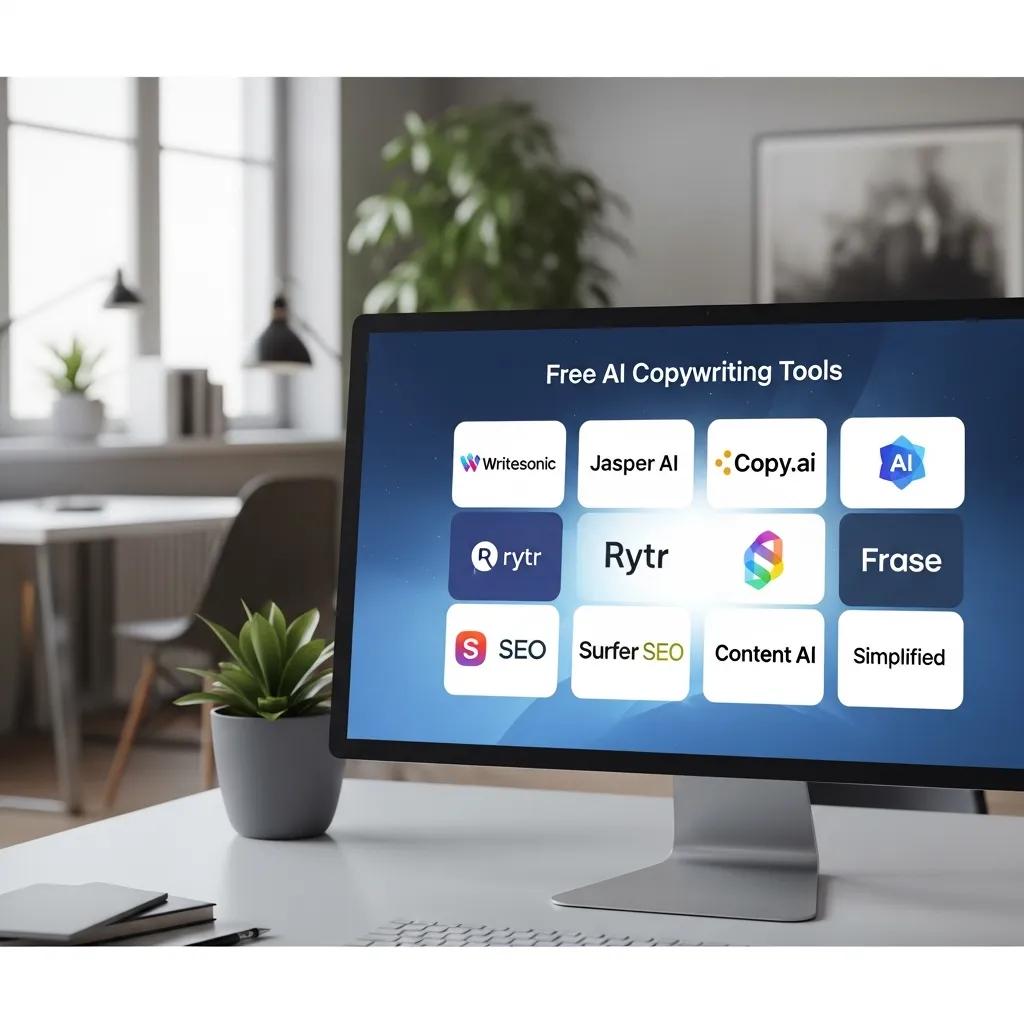
This section ranks ten notable free AI tools that remain particularly useful for general copywriting tasks in 2026, focusing on what their free tiers practically provide for writers and marketers. The selection criteria prioritize accessible free features, template variety, ease of prompt use, and integration potential into multi-tool workflows. The following tool profiles highlight the free-tier strengths, typical use cases, and practical caveats so you can match a tool to a specific content need without guessing.
Intro to the comparison table: the table below summarizes each tool’s most relevant free-tier attributes—free features, approximate word-limit behavior, available templates, export options, and language support—so you can scan which tools fit your immediate priorities.
This comparison clarifies where to start: use ChatGPT or Claude for versatile drafts, Writesonic and Rytr for short-form marketing, and Grammarly/QuillBot/Hemingway for the editing stage. The next H3 explains ChatGPT’s free-tier behavior specifically and offers prompt examples.
How Does ChatGPT’s Free Tier Support Versatile Content Creation?
ChatGPT’s free tier functions as a conversational generator suited to ideation, concise drafts, and iterative prompt refinement for headlines, email subjects, and short ads. In practice, ChatGPT → generates → varied draft options when you provide role and audience context, and the best outcomes use structured prompts that specify tone, length, and format. Example prompt pattern: “Act as a copywriter for X audience; write 5 headlines under 12 words with a playful tone.” Use iterative prompts to refine outputs rather than expecting perfection on first pass. Keep in mind that access to the latest model versions or advanced features may be limited in free tiers, so plan for occasional rephrasing or re-prompting to reach final copy.
What Are the Free Features of Writesonic and Rytr for Copywriters?
Writesonic and Rytr both emphasize fast short-form generation with template-driven flows tailored to marketing tasks; they are optimized for producing headlines, social captions, ad copy, and short SEO snippets. Writesonic → offers → a structured template library for ads and landing page hooks that speeds drafting, and Rytr → focuses → on quick tone presets and character-limited outputs ideal for captions. In free plans, expect monthly credit systems or character caps that prioritize short-form use; Writesonic often favors SEO-related snippets while Rytr shines for rapid caption and microcopy generation. Choose Writesonic when you need SEO snippets and Rytr for high-velocity social or microcopy ideation.
How Can Free AI Tools Enhance Specific Copywriting Tasks?
Free AI tools can be mapped directly to task-specific needs—social media, email campaigns, and product pages—so that writers use the most efficient tool at each stage of creation. Selecting the right tool reduces manual rewriting: for example, start ideation in a conversational generator, move to a template-driven short-form tool for structured outputs, then finish with editing tools for readability.
This list shows which free tools are best matched to common copy tasks and why.
- Social media captions: Use Rytr, Copy.ai, or Canva AI for tone-specific short captions and visual pairing.
- Email subject lines and bodies: Use ChatGPT or Writesonic for subject line variants and concise body drafts.
- Product descriptions and e-commerce pages: Use Writesonic or ChatGPT for feature-benefit framing and variations.
Which Free AI Tools Are Best for Social Media Content Generation?
For social copy focused on engagement and brevity, tools that specialize in tone presets and character limits yield the fastest results. Rytr and Copy.ai are designed to produce multiple caption variations with tone switches in a single session, while Canva AI combines text with design assets to show copy in context.
Example prompt for an Instagram caption:
The expected output will be short, platform-appropriate lines you can test immediately; iterate by requesting shorter or more formal variations to match platform voice.
How to Use Free AI Tools for Email Copywriting and Product Descriptions?
A simple mini-workflow maximizes free tiers: ideate subject lines in ChatGPT, generate body variations in Writesonic, then refine tone in Rytr and proofread with Grammarly. Begin with a concise prompt: “Generate five email subject lines for a 20% off sale aimed at budget-conscious parents.” After selecting a subject, prompt for body variations with constraints like word count and desired tone. For product descriptions, use prompts that include product features and buyer persona, then request a short, medium, and long version for different placement needs. Iterate until the copy reflects benefits and voice, then finalize with readability and grammar tools.
AI Machine Learning for Digital Marketing Optimization
The AI-Based Advertisement Optimization and Performance Analytics program aims to revolutionize digital marketing by way of real-time automation and optimization of advertising campaigns using AI. The architecture proposes in making use of advanced machine learning algorithms and data analytics to analyze massive amounts of ad performance data, theirs including and not limited to click-through rates, conversion rates, audience demographics, engagement rates, and temporal patterns, and develop key performance indicators or useful insights on the paved way of real-time automated marketing and optimization of advertising campaigns through AI. The system’s other operations engage predictive modeling approaches to provide ad placements, formats, and budgets, recommending them dynamically while maximizing returns and minimizing costs per click, complemented also by audience sentiment estimation involving reviews and feedback input via techniques like natural language processing(NLP) for cont
1. The dynamic nature of consumer behavior in digital ecosystems necessitates the adoption of intelligent systems for marketing optimization. Machine Learning (ML) has emerged as a pivotal technology for transforming digital marketing by enabling real-time decision-making based on multimodal consumer interaction data. At a macro level, ML empowers marketers to transcend rule-based targeting by continuously learning from diverse user data streams including click behavior, social media activity, device usage, sentiment in reviews, and past purchases. This rich interaction data is fused to model customer intent, optimize campaign delivery, and forecast conversions with high precision. Techniques such as gradient boosting, recurrent neural networks, and deep learning architectures allow platforms to adaptively segment users and dynamically adjust ad content and timing for maximum impact. Real-time bidding (RTB) engines also integrate ML models to predict click-through and conve
Machine Learning in Digital Marketing: Real-Time Campaign Optimization and Conversion Prediction Using Multimodal Consumer Interaction Data
What Free AI Tools Help Improve Copy Quality and Readability?
Editing and refinement tools are crucial to turn AI drafts into publish-ready copy; free editors focus on grammar, paraphrase, and readability scoring, each addressing distinct aspects of quality. Grammarly (free) catches grammar and spelling; QuillBot provides paraphrasing and summarization modes; Hemingway App highlights sentence complexity and passive voice for clearer readability. Below is a compact comparison table that outlines editing-focused free-tier attributes so you can decide which tool to use at each proofreading stage.
Intro to the editing tools table: this table compares free editing tools on their core strengths—grammar checks, readability scoring, paraphrase options, and availability across platforms—so you can assemble an efficient refinement chain.
Summary insight: combine Grammarly for correctness, QuillBot for alternative phrasing, and Hemingway for readability to make AI-generated drafts crisp and on-brand before publication.
How Does Grammarly’s Free Version Assist Copywriters?
Grammarly’s free version provides baseline grammar, punctuation, and spelling corrections plus basic clarity suggestions that help tidy AI-generated drafts before human review. It operates as a grammar-first gate: paste or type text to receive inline corrections and simple tone indicators, which reduce obvious errors that can undermine credibility. While premium features like advanced style or plagiarism detection are gated, the free tier is sufficient for initial proofreading and catching common mistakes. Use Grammarly near the end of your chain—after ideation and paraphrase—so you correct mechanics while preserving deliberate stylistic choices.
What Are the Benefits of Using QuillBot and Hemingway App for Content Refinement?
QuillBot excels at offering paraphrasing modes and summarization options that generate alternative phrasings and condensed versions of longer text, while Hemingway App highlights long sentences, passive voice, and complex phrasing to improve readability. A practical sequence is to paraphrase a dense AI draft with QuillBot to get fresh phrasing, then run the result through Hemingway to simplify sentence structure and improve scannability. This dual approach preserves ideas while increasing clarity and reader comprehension. Use short before/after tests to confirm that the paraphrase preserves intent and that readability scores improve.
How Can You Maximize the Use of Free AI Copywriting Tools in Your Workflow?
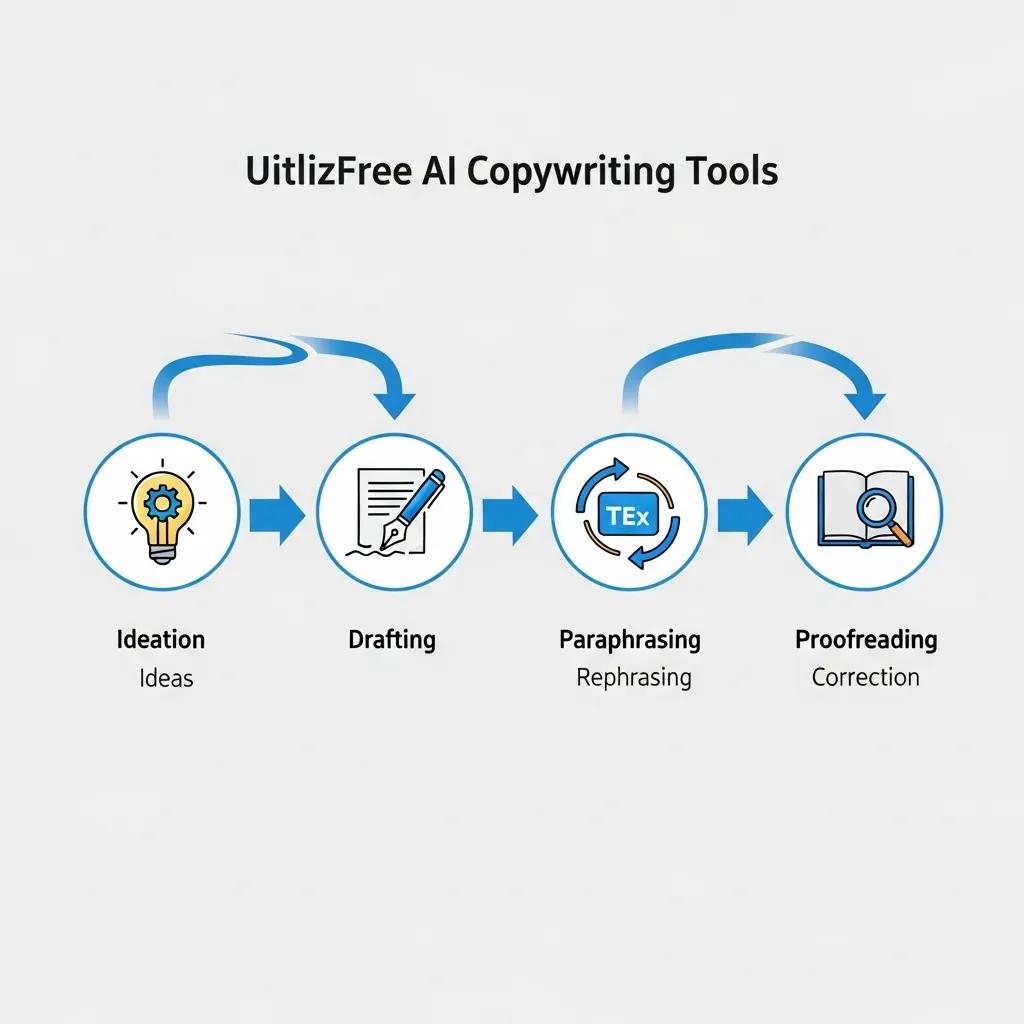
Maximizing free-tier productivity depends on prompt engineering, tool chaining, human-in-the-loop edits, and ethical checks to avoid over-reliance. Effective prompt patterns reduce token usage and improve output relevance, while multi-tool workflows allocate each tool to the role it performs best—ideation, drafting, paraphrasing, or proofreading. Below are practical prompt templates and workflow mappings you can adopt immediately to keep all steps inside free plans.
This list offers actionable prompt templates that work well in constrained free tiers and explains why each is efficient.
- Role + Audience + Format + Constraint: “Act as a [role], write a [format] for [audience] that includes [key points], tone: [tone], max [X] words.”
- Stepwise Refinement: “Draft a headline; then shorten to 10 words; then create 3 tone variants.”
- Output + Edit Cycle: “Generate 5 options; mark favorite; rewrite favorite in formal tone under 60 words.”
Key takeaway: structured prompts and staged refinement minimize wasted tokens and produce consistently better first-pass drafts.
What Are Effective Prompt Engineering Techniques for Free AI Tools?
Use compact, structured prompts that assign role, audience, format, and constraints to get high-quality outputs while conserving free-tier quotas. For example, the template “As a [role], write a [format] for [audience] that includes [key points], tone: [tone], max [X] words” yields targeted results with minimal back-and-forth. Another technique is stepwise prompting: ask for a set of options, pick one, then request incremental edits rather than full rewrites. Reducing verbosity in prompts conserves tokens while giving the model precise guidance. These methods improve output relevance and lower the number of iterations needed under free limits.
How to Integrate Multiple Free AI Tools for Seamless Copywriting?
Practical tool chaining assigns each free tool a role in a linear workflow: ideation → draft → paraphrase/refine → proofread. For example, use ChatGPT for ideation, Writesonic for structured draft outputs, QuillBot for alternative phrasing, and Grammarly for final proofreading. Below is an EAV-style workflow table that maps specific tool roles to example prompts and expected outputs to help you implement multi-tool sequences without premium features.
This structured mapping preserves voice across tools by explicitly carrying chosen angles and edits forward, and it reduces friction when each tool’s free tier limits the depth of a single pass.
What Are the Future Trends and Emerging Free AI Copywriting Tools for 2026 and Beyond?
Looking ahead, free AI copywriting tools will likely offer improved multilingual support, better context retention across sessions, and tighter integrations with content platforms to reduce manual copy transfer. Categories to watch include specialized e-commerce description generators, compliance-aware copy tools for regulated industries, and collaborative AI writers that support multi-user editing in free tiers. Creators should monitor feature rollouts and audit their toolstack quarterly to adapt to new free capabilities and avoid lock-in. The final H3s enumerate categories of new entrants and practical advice to future-proof your workflows.
Which New Free AI Tools Are Expected to Impact Copywriting Soon?
Emerging free tools will often fall into categories: specialized generators for product verticals (e-commerce, real estate), compliance-oriented writers that flag regulated claims, and collaborative multi-user assistants that preserve context across sessions. These categories matter because they address real pain points—scale for product catalogs, legal safety in regulated copy, and team collaboration without costly subscriptions. Expect newcomers to differentiate on integrations, real-time collaboration, multilingual capabilities, or domain-specific training that makes their free tiers immediately useful to niche creators.
How Will AI Copywriting Tools Evolve to Benefit Content Creators?
AI copywriting tools will likely evolve toward stronger context retention, native integrations with CMS and design platforms, and smarter human-in-the-loop workflows that surface model uncertainty and provenance. These changes will make drafts more consistent across multiple content pieces and reduce manual reconciliation between tools. To prepare, creators should maintain editable source files, build a short checklist for human review, and adopt quarterly audits of tool capabilities to capture newly available free features. Three actionable takeaways: standardize prompt templates, keep manual quality checks, and reserve a small bench of tools for redundancy when free tiers change.